 MoodTrue
We have released a series of updates that make your time with music more interactive, your discoveries more visible and your listening history more meaningful. Games, the MoodPoint level system and the official Chrome extension are the highlights. Alongside them, we have improved everyday details across MoodTrue, from recording listening activity and displaying mood charts to music search and profile indicators.
This article brings together what each update does, where to find it and the details you should know before getting started. Start with a game, or install the extension and keep listening as usual: each new feature connects to another part of the MoodTrue experience.
Games: six different ways to play with music
Games brings together different ways to use your musical memory, sense of rhythm and attention. Games are now available to every signed-in MoodTrue user. Browse the library, find a game with the search field and jump straight in.
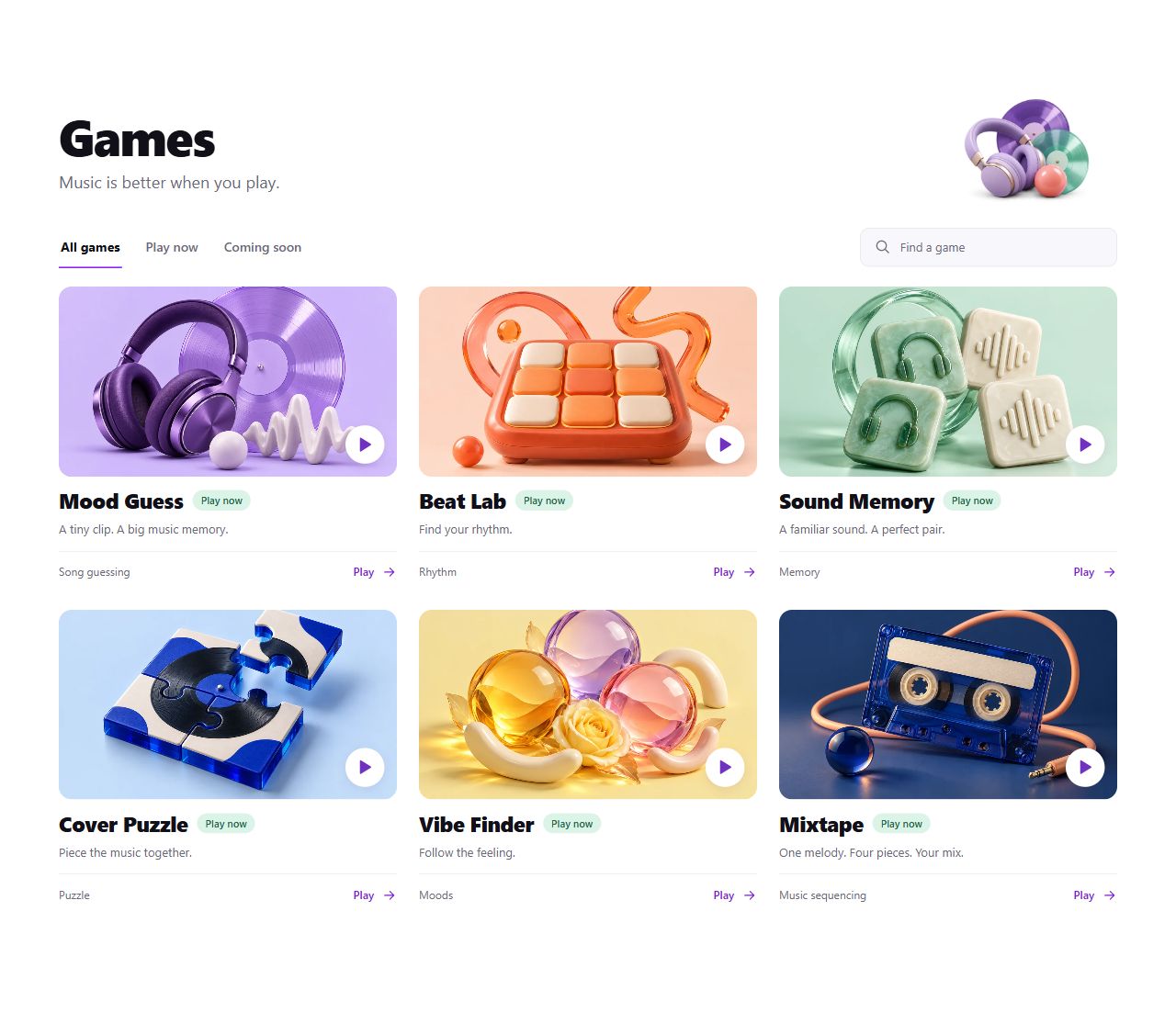
Mood Guess: how quickly can you name that song?
In Mood Guess, you try to recognise a song from a short clip. Sometimes the opening sound is enough; sometimes you need to hear a little more of the melody. Improvements that expand the song pools and reduce consecutive repeats aim to make each return to the game more varied.
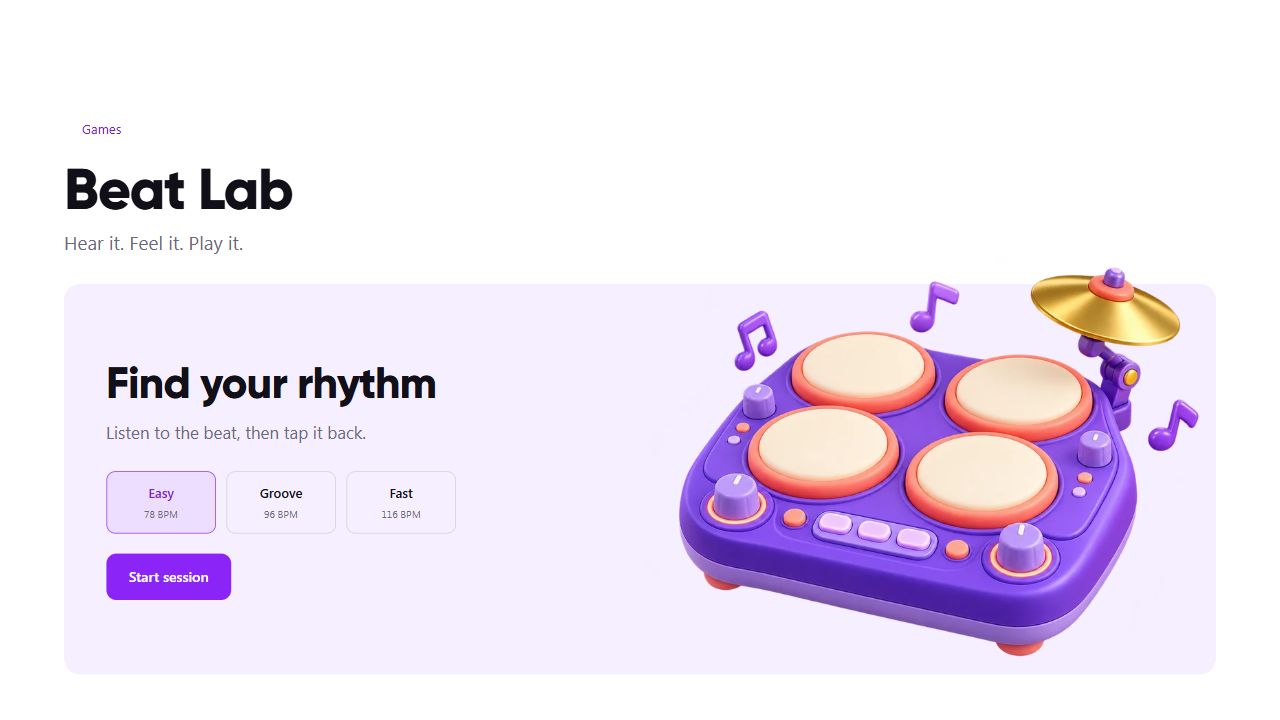
Beat Lab: play back the rhythm you hear
Beat Lab plays a rhythm, then asks you to repeat it. The patterns grow longer over a five-round session. Choose your starting tempo with Easy, Groove or Fast, then use the D, F, J and K keys on a computer or the pads on a touchscreen. Play one session during a short break, or try the same difficulty again to improve your timing.
Sound Memory: find the match by ear
Sound Memory is a memory game played with sound. Remember the sounds behind the cards you reveal and find their pairs. Telling sounds apart matters as much as remembering their positions. Matching every pair is also one of the goals you may encounter in monthly challenges.
Cover Puzzle: put the album artwork together
Cover Puzzle is built around assembling the pieces of an album cover. Follow colours, shapes and your visual memory. If you want a game that explores the visual world of music rather than asking you to name a song, this is a good place to start.
Vibe Finder: follow the atmosphere
In Vibe Finder, you match the atmosphere of the music you hear to the available options. Focus on its energy and emotional tone rather than its title. The aim is to follow the musical clues within a round, without assuming that a song makes everyone feel the same way.
Mixtape: put the pieces in order
Mixtape asks you to arrange four sections of a melody in the right order. Listen to the clips, find their connections and place them in the slots. Drag and drop lets you change the sequence, and listening again helps you judge how the melody flows. Improvements that preserve the positions of your clips are also part of this experience.
Leaderboards and monthly challenges: a fresh goal every month
The scores and leaderboard area beneath the games helps you follow your progress for an individual game or across all games. Switch between This week and All time to see your points, rank and wins for different periods.
Monthly challenges offer a longer journey beyond a single high score. Goals such as trying different games, finishing a certain number of rounds or playing on different days build up throughout the month. Progress saves automatically, and completing the challenges adds that month's badge to your profile.
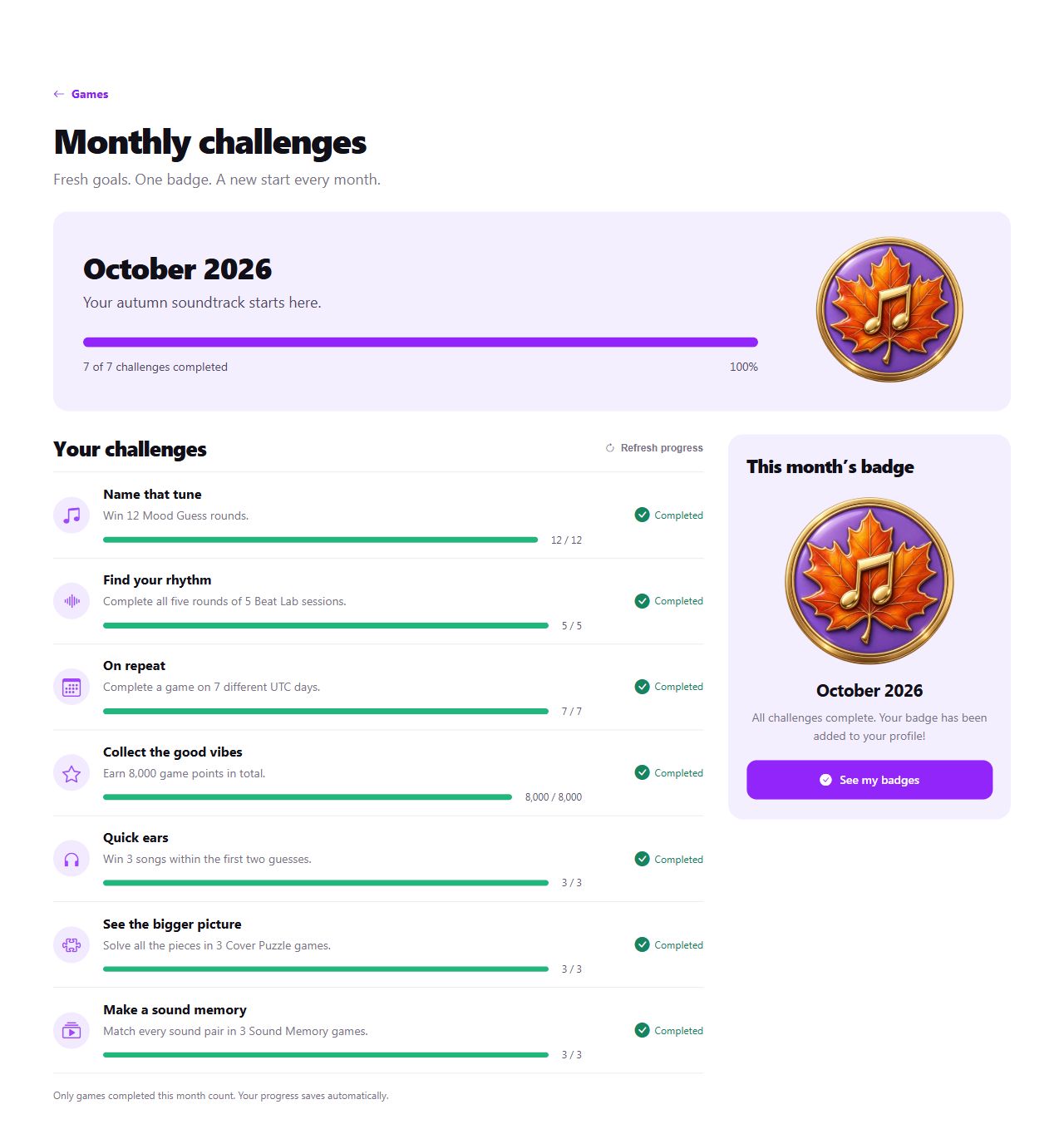
Goals and badges can change from month to month. The conditions shown in the current screen apply to that period; a target in an older screenshot may not be next month's rule. A new period opens at the start of the month in UTC, and eligible games completed during that month count towards it.
MoodPoint and levels: progress as you explore
MoodPoint brings different activities across MoodTrue into a shared progress screen. Eligible activities such as discovering music, creating a new playlist with at least one track, exploring the community and finishing games can earn MP. Open the star in the top menu or visit the MoodPoint page to see your progress and how many points remain until your next level.
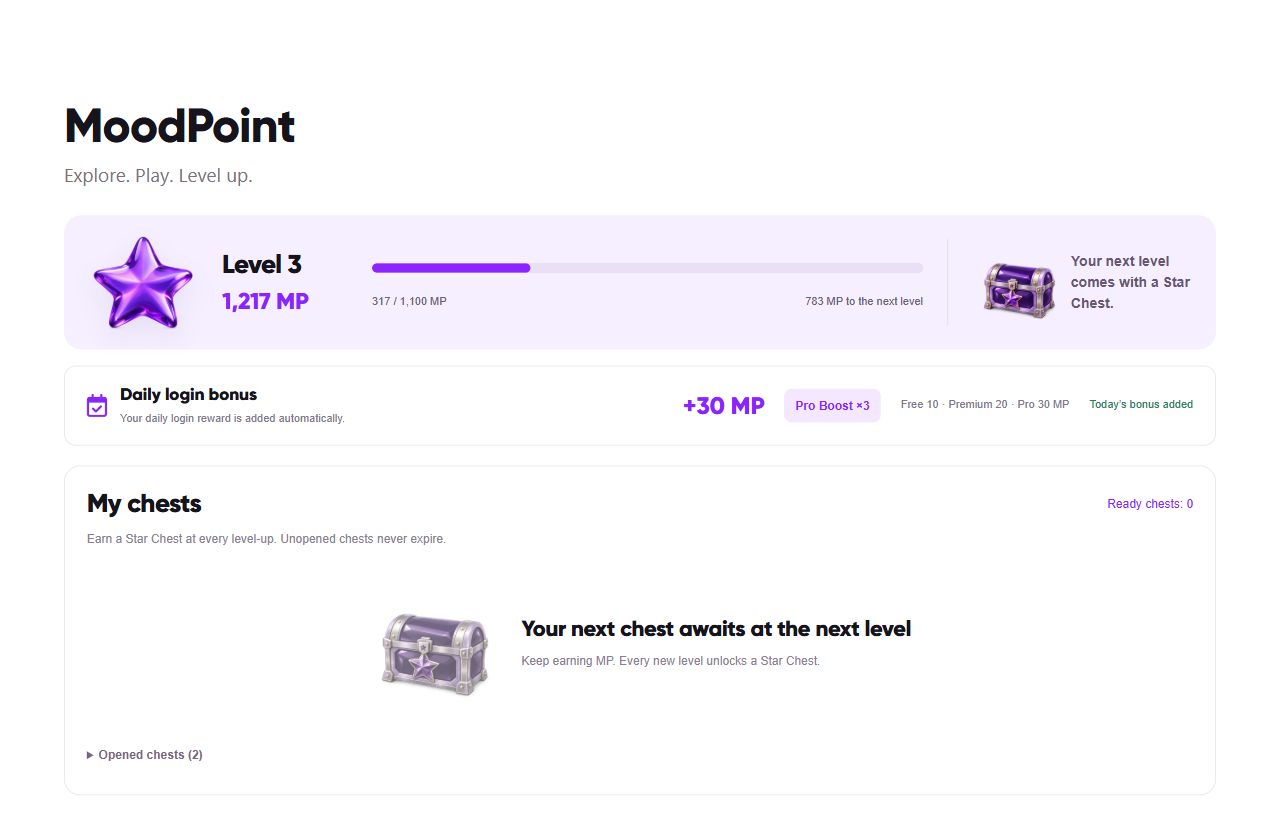
We have made the early levels more approachable with gradual milestones. Level 2 requires 300 total MP, level 3 requires 900, level 4 requires 2,000 and level 5 requires 4,000. These are lifetime point thresholds, rather than amounts you need to earn again at each level. The total required continues to grow at later levels.
MP and game scores are separate. Your game score reflects your performance on the leaderboard, while MP tracks your level progress through eligible games and discovery activities. MP does not reset when the month changes, so your long-term progress continues when a new monthly game period begins.
How do daily quests and chests work?
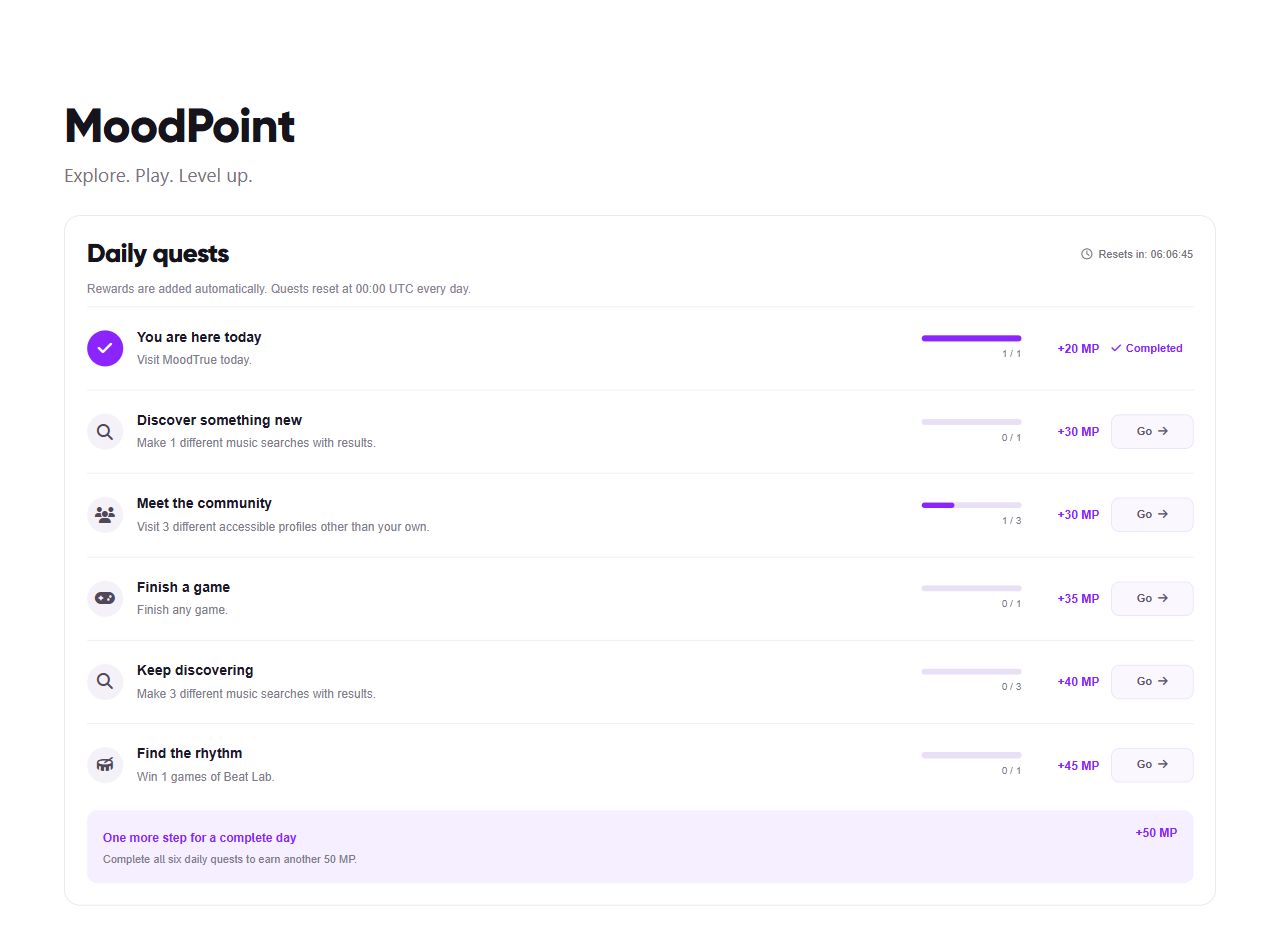
The six daily quests on the MoodPoint page give you a small route through things to try that day. You might be asked to search for music, visit different profiles or finish a game. Each card shows its conditions, progress and reward. Complete all six quests to earn an additional 50 MP completion bonus.
Rewards are added automatically when eligible activities are verified. Repeating the same action does not generate unlimited points; individual activities have daily limits. Activity and quest earnings have a combined daily cap of 650 MP. Daily quests reset at 00:00 UTC; the countdown on the quest screen helps you follow the reset in your own time zone.
Your daily visit also contributes to your progress. The current base login reward is 10 MP for Free accounts, 20 MP for Premium and 30 MP for Pro. This membership difference applies to the daily login bonus; it does not mean every activity on the page is multiplied by the same amount.
Every time you level up, you earn a Star Chest. Unopened chests stay in your inventory and never expire. Each chest gives one random reward, such as MP or a temporary MP boost. A limited-duration Premium reward joins the pool at eligible levels; Premium rewards are only available in chests for level 6 and above.
The MoodPoint page shows reward odds for the chest's level. MP earned from a chest is separate from the 650 MP daily activity cap. MP boosts apply to new activity and quest earnings; they do not multiply the MP inside a chest. Limited-duration Premium rewards also leave the terms of an existing paid subscription unchanged. The progress screen helps you follow where your points came from and what each effect does.
The official MoodTrue Chrome extension is live
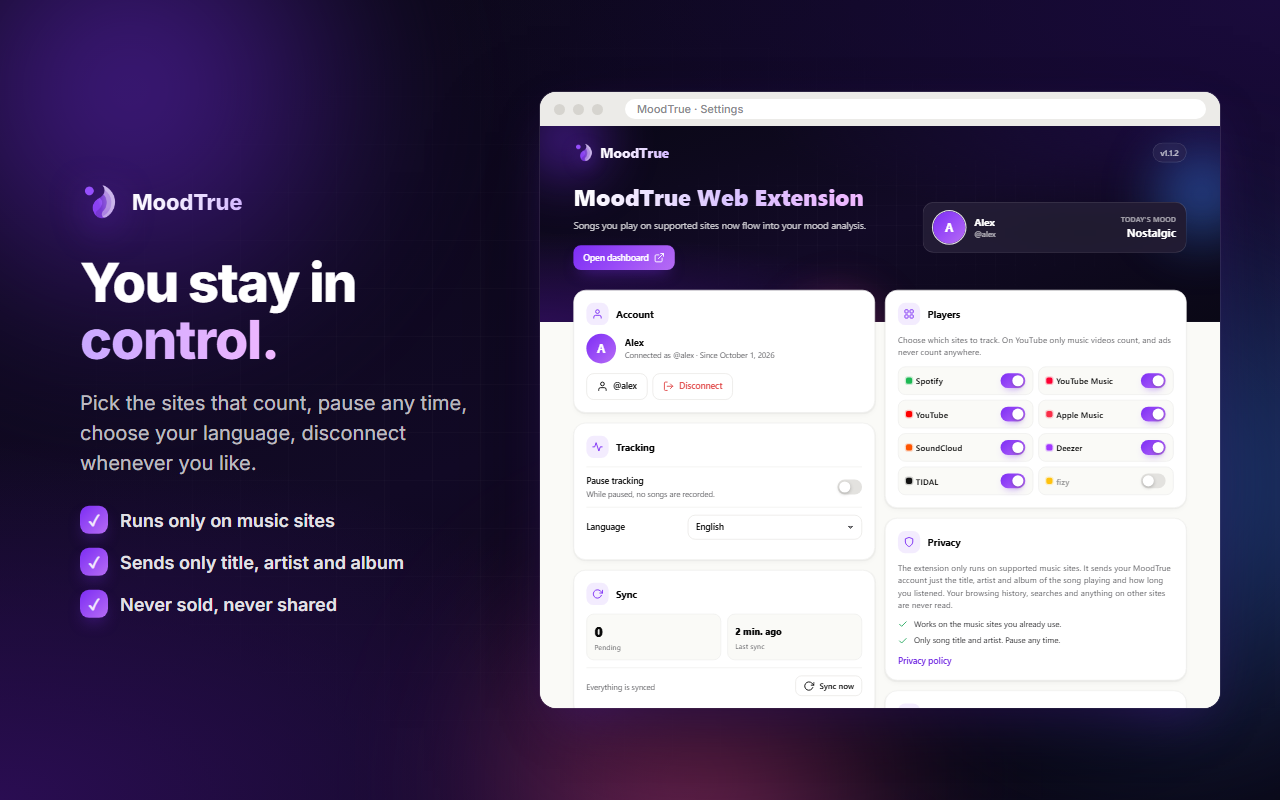
MoodTrue now includes the music you listen to in your browser. The official MoodTrue Chrome extension is available in the Chrome Web Store, developed by MeetWeb. Install it and connect your account to add songs played on supported music sites to your MoodTrue analysis.
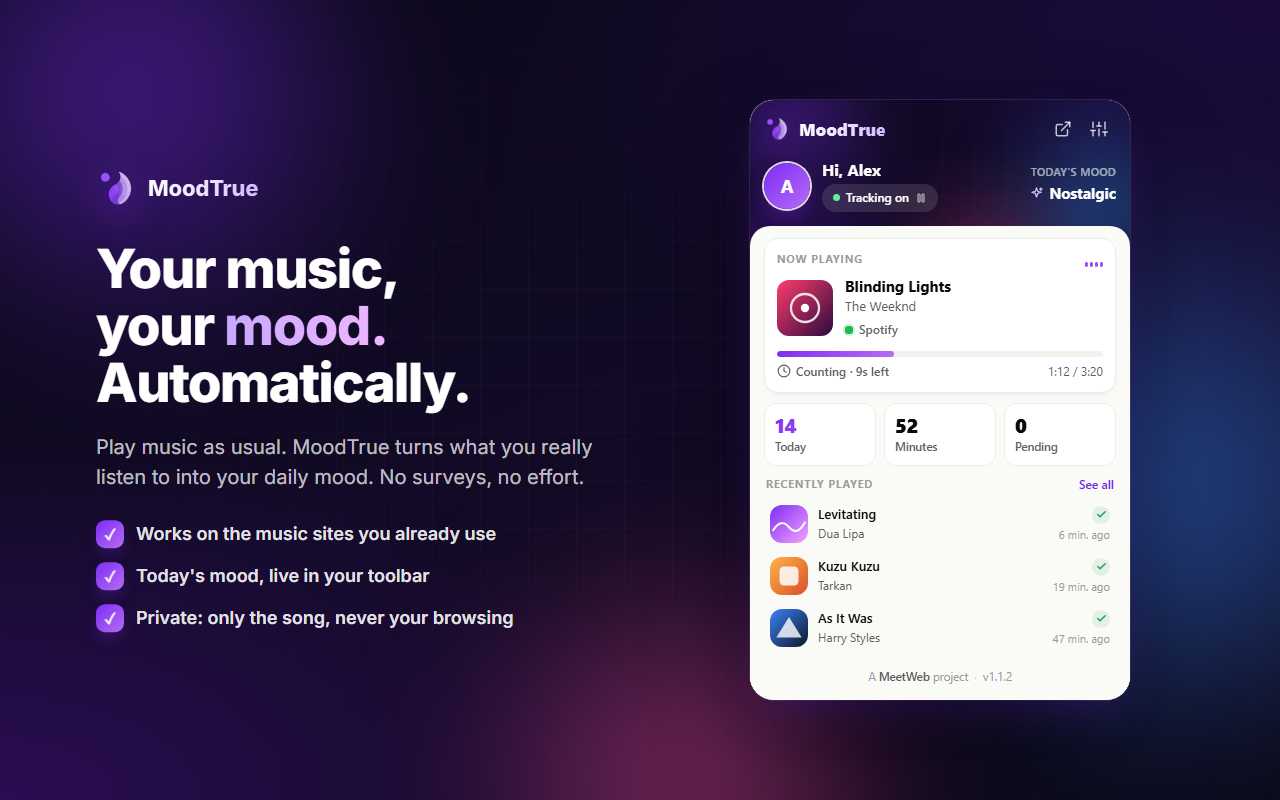
Supported players include Spotify Web Player, YouTube Music, music videos on YouTube, Apple Music on the web, SoundCloud, Deezer, TIDAL and fizy. The extension works on supported pages in your browser; it does not automatically capture every song played in a separate desktop or phone app. Check the extension settings for the current site options.
When does a song count as a listen?
Opening a track is not enough on its own. The extension counts a song after 30 seconds of actual listening. Paused time and sections you skip ahead through do not add to listening time. Ads are filtered out, and tracking on YouTube focuses on music videos. The popup shows the current track, the time left until it counts and your daily song and minute totals.
Connect in a few steps
- Open MoodTrue in the Chrome Web Store, check that MeetWeb is listed as the developer and install the extension.
- Open the extension and choose Connect with MoodTrue.
- Sign in to your MoodTrue account and approve the connection on the consent screen.
- Play a track on a supported music site and check the tracking status in the popup.
- Follow the extension's activity in Settings → Connections.
You stay in control of tracking
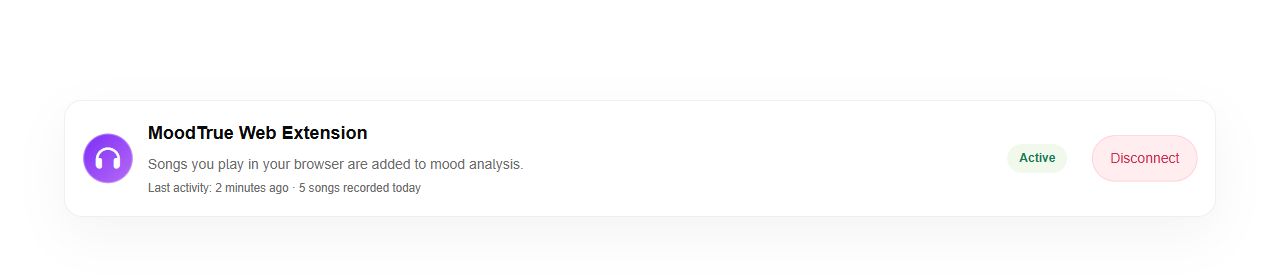
Pause tracking or turn off individual music sites in the extension settings. When you want to disconnect, use the Connections area in MoodTrue. It shows whether the extension is active, its latest activity and the number of songs recorded that day.
Tracking focuses on the currently playing song on supported music sites. Information such as the track title, artist, album when available and listening time or duration is sent to MoodTrue for analysis. The extension does not read your general browsing history on other sites, messages or passwords. Read our privacy policy and the data disclosures in the Chrome Web Store for details.
Analysis and listening infrastructure: more context, more consistent records
Behind the visible features, we have also worked on the data available to analysis and the consistency of its records. Here are the concrete changes behind what we mean by improvements to the algorithm:
- Browser listening activity contributes to analysis. Eligible listens from the extension can join existing Spotify and Apple Music sources in music analysis for the last 24 hours. Listening through more than one supported source expands the listening context MoodTrue can see.
- Spotify listens are stored with their playback times. Instead of keeping only a snapshot of the latest five songs during synchronisation, the updated flow records the available listening events with their individual playback times. This helps us use the history available to synchronisation more consistently across days and hours.
- Repeated submissions do not become separate listens. If a connection problem causes the extension to send a record again, controls prevent that same event from being recorded twice. Actual listening duration, track information and timestamps are also validated.
- Incomplete or malformed analysis results face stricter checks. Validation of track matching and the format of analysis results helps separate usable output. An unrecognised track or a record with insufficient data may not produce a meaningful mood result.
- Your own mood check-in is taken into account. An eligible recent check-in can take priority when determining your current mood. We preserve the distinction between an inference from music and what you tell us about yourself.
These improvements do not mean every track will be recognised correctly or that your mood can be known with certainty. MoodTrue's music-based labels are interpretations that help you explore your listening experience. Analysis updates as eligible listening records and matches are processed; a track counting in the extension and appearing on the dashboard may happen at different times.
Mood charts and the calendar offer a richer history
We are doing more with listening data than turning it into a current label. The dashboard's mood distribution has been expanded to consider listening and check-in sources too. Switch between weekly, monthly and yearly views to explore different periods.
The mood calendar on your profile can also use information from Spotify and Apple Music history. Colours and shading make it easier to scan your music history, while listening volume and the dominant song mood help you see a day's musical footprint in more detail. Results depend on the data available and processed for that period in your account.
We have also improved recovery from temporary connection problems in AI-assisted music search and the flow for retrieving saved results. Profiles now have a separate indicator for members who have completed identity verification. Together, these updates improve small details that matter during everyday play, discovery and community use.
A quick route through the new features
- Open Games and try something that interests you. Start with Beat Lab if you enjoy rhythm, or Sound Memory if you want to explore your memory for sounds.
- Visit your MoodPoint page. Check today's quests and the MP remaining until your next level.
- Explore this month's challenges. Daily quests and monthly badge goals track progress separately.
- Install the official Chrome extension and connect your MoodTrue account.
- After listening on a supported site, check your connection status and the analysis on your dashboard.
These updates share one aim: to make more room for the way you connect with music, whether you are recognising a song, assembling a melody or following the music you already listen to throughout the day. Share your experience and what you would like us to improve through MoodTrue Support.
22 October 2026. This article describes the product as it works at publication. Check the relevant screens in the app for current quests, reward conditions and supported sites.